Account & Website Guide
Log In to Your Account
There are two types of accounts. Please review whether you are an individual or a business to follow the correct steps.
For Standard Users:
Create a New Personal Account
Only use these steps if you are an individual customer or not associated with a Gems Company Account.
Step 1: Visit the Portal
Go to https://gemssensors.com/login.
Step 2: Start Registration
Select Create Account.
Step 3: Enter Your Information
Provide your name, current email address, and set a password.
Step 4: Log In
Once registered, sign in to explore the new and improved Gems platform.
Note: Because this is an upgraded site, all individual users must re-register once, even if you had an account on the previous website.
For Organization Account Users:
Connect to Your Organization Account
Access for company users is invite-only to maintain security and ensure correct account setup.
Step 1: Contact Your Company Administrator
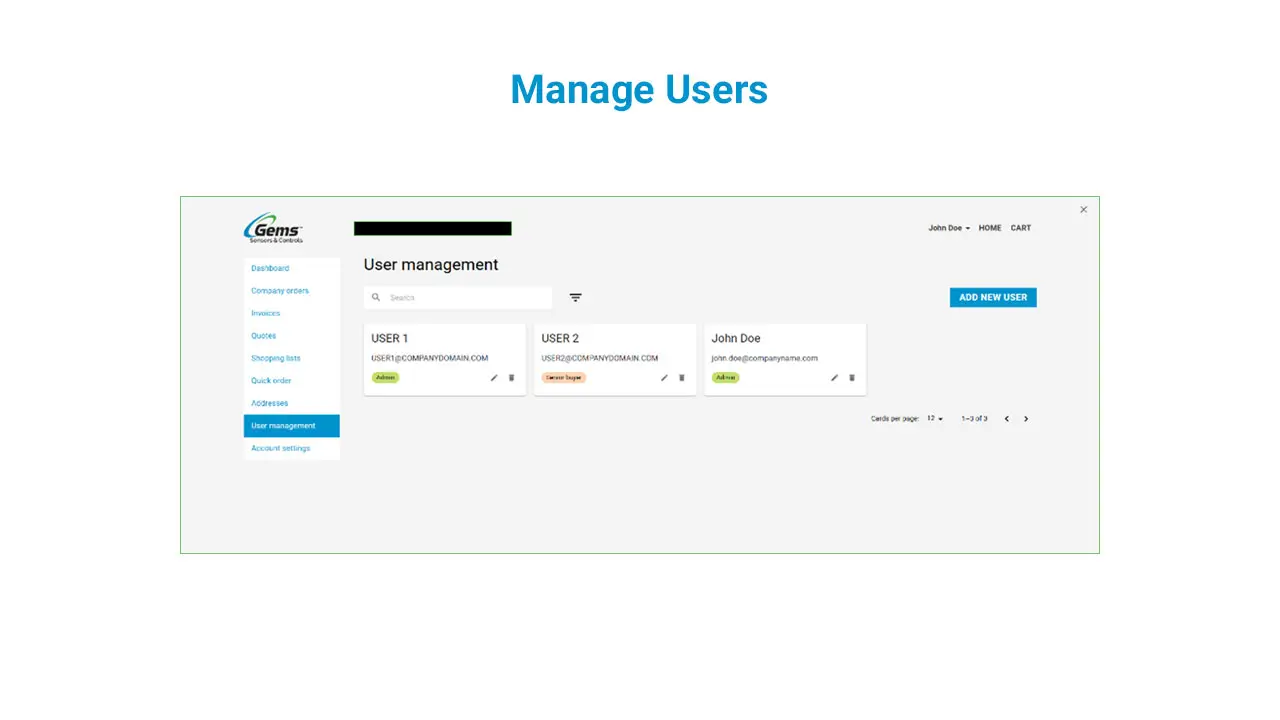
Reach out to the admin assigned to manage your organization’s Gems Sensors Account.
Step 2: Request an Invite
Your Company Admin will add you to the company account and assign your user roles.
Step 4: Access Your Dashboard
Once activated, you’ll have full access to your organization’s pricing, permissions, and account tools.
Quick Order in Just 3 Steps
Go from login to cart in seconds with custom part-number search and instant add-to-cart.
Frequently Asked Questions
How-To Videos
Watch tutorials and walkthroughs to make the most of our platform’s features.